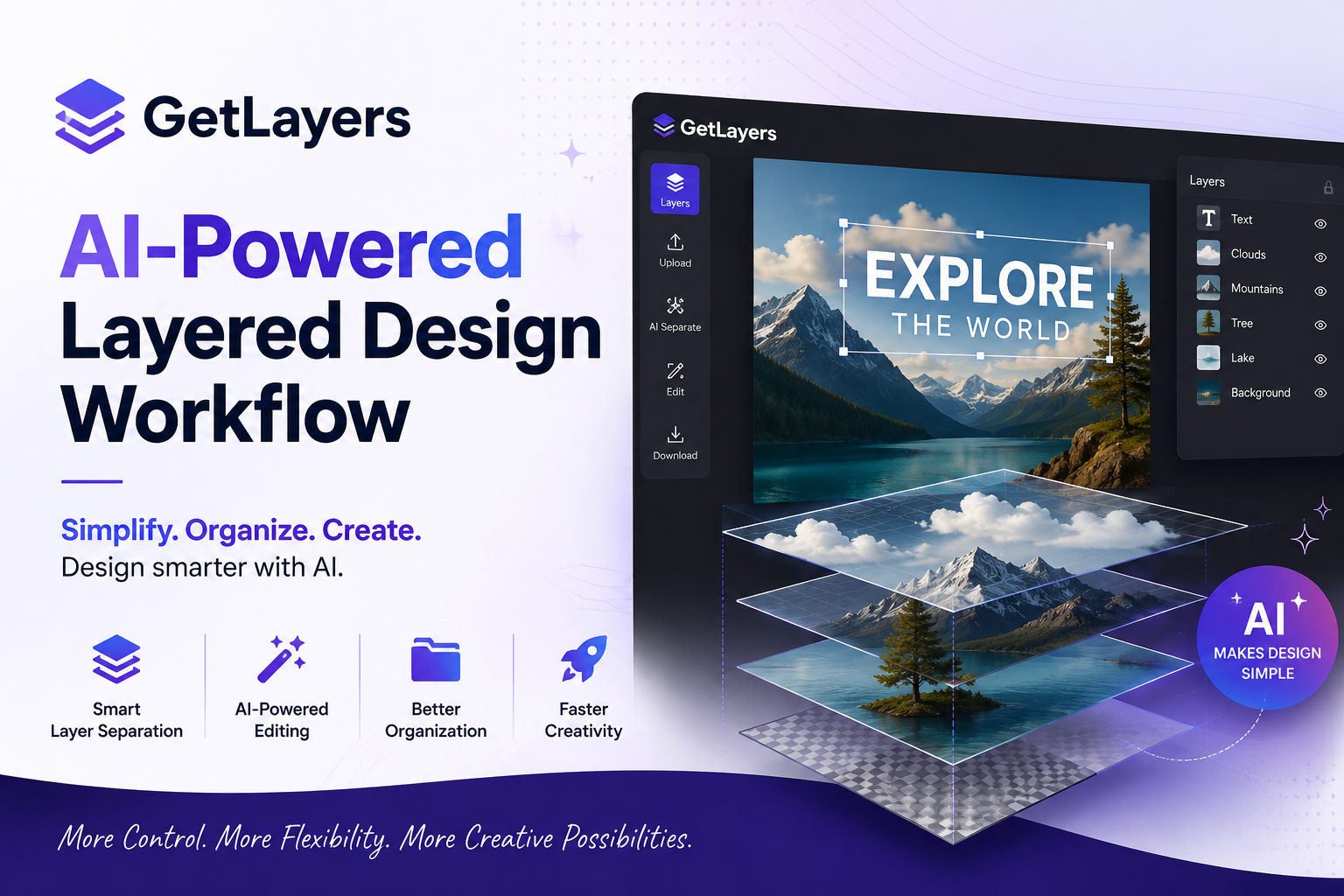
GetLayers: AI-Powered Layered Design Workflow
Introduction
GetLayers is an AI-focused design tool that helps creators work with layered visual content, organize design elements, speed up editing, and build more flexible creative workflows. In this guide, we explore what GetLayers is, how it can help designers, its main benefits, practical uses, and what users should consider before adding it to their creative process.
What Is GetLayers?
GetLayers is designed around a simple idea: make complex visual editing easier to manage. Traditional design projects can contain many elements, layers, assets, and revisions. As a result, creators can spend a large amount of time organizing files instead of improving the actual design.
GetLayers aims to make that workflow more efficient. With an AI-assisted approach, users can explore ways to separate, manage, and work with visual elements more effectively.
For designers, marketers, content creators, and other visual professionals, this approach can reduce repetitive work. More importantly, it can create additional flexibility when a project needs frequent changes.
Why Layer-Based Design Matters
Layer-based design gives creators control over individual elements. Instead of treating an image as one fixed object, a layered workflow can provide more opportunities for editing.
For example, a designer may want to adjust:
- Background elements
- Foreground objects
- Text areas
- Visual subjects
- Colors and effects
- Individual design components
When these elements are easier to manage, revisions become simpler. Therefore, layered editing can be especially useful for creative projects that require multiple versions.
The Problem With Traditional Workflows
Many visual projects start with a simple concept. However, the process can quickly become complicated.
A creator may need to make one small change, but that change can affect several parts of the project. Searching for the correct asset, recreating an element, or manually separating visual components can take valuable time.
Consequently, automation and AI can become useful additions to the workflow.
How GetLayers Can Help Creators
GetLayers can be useful when a project needs more flexibility than a standard flattened image provides.
Faster Creative Iteration
Creative work often depends on testing different ideas. A designer might want to change the background, move an object, or create a different visual variation.
A layer-focused workflow makes these changes easier to approach.
Instead of rebuilding an entire design, creators can work with individual components. As a result, they can test more ideas in less time.
Better Project Organization
Organization is another important part of design work.
When visual elements are clearly separated, creators can understand the structure of a project more easily. This can also make future revisions less stressful.
Moreover, an organized workflow can help teams collaborate more effectively.
More Design Flexibility
Flexibility matters when one visual asset needs to support multiple platforms.
For example, a single creative project might require versions for:
- Websites
- Social media
- Advertisements
- Presentations
- Blog graphics
- Marketing campaigns
A flexible layered workflow can make these adaptations easier.
GetLayers for Different Users
For Graphic Designers
Graphic designers can benefit from workflows that reduce repetitive editing tasks. Instead of spending excessive time preparing assets, they can focus more on composition, branding, and creative direction.
For Content Creators
Content creators frequently need visual assets for multiple channels. Therefore, the ability to modify and reuse design components can save time.
A layered workflow may also make it easier to create different versions of thumbnails, promotional graphics, and social posts.
For Marketers
Marketing campaigns often require several creative variations. One campaign can need different dimensions, messages, and visual combinations.
GetLayers can fit into this type of workflow by making visual components easier to adapt.
For Small Teams
Small teams usually have limited time and resources. Consequently, tools that simplify repetitive creative tasks can provide practical value.
When fewer manual steps are required, teams can spend more time on strategy and content quality.
GetLayers and AI-Assisted Creativity
AI is changing how creators approach visual production. Instead of replacing creative decisions, AI tools can help reduce technical friction.
GetLayers fits into this broader shift toward AI-assisted design.
The goal is not simply to automate everything. Instead, AI can help creators move from an initial asset toward a more editable and flexible project.
AI Saves Time
Time is one of the biggest advantages of automation.
If a task normally requires several manual steps, an AI-assisted workflow may reduce the effort involved. This allows creators to spend more time reviewing the final result.
However, users should still check AI-generated results carefully. AI can accelerate production, but human judgment remains important.
Practical Ways to Use GetLayers
Create Flexible Marketing Assets
Marketing teams can create visual assets and then adapt individual elements for different campaigns.
This approach can reduce the need to recreate similar designs from scratch.
Prepare Social Media Graphics
Social media requires frequent content updates. A layered approach can help creators modify backgrounds, subjects, text, and other components for new posts.
Experiment With Design Ideas
Designers can use flexible visual components to test different compositions.
For example, they can compare different backgrounds, layouts, and visual arrangements without completely rebuilding the project.
Build Reusable Creative Assets
Reusable assets can improve long-term productivity. Once a useful design structure has been created, creators can adapt it for future projects.
This can be especially useful for brands that maintain consistent visual styles.
Benefits of Using GetLayers
1. Efficient Editing
A layer-based approach can make editing more manageable. Creators can focus on specific elements instead of modifying an entire image.
2. Creative Freedom
More control over individual components can provide additional creative possibilities.
3. Faster Revisions
Design changes become easier when elements can be handled independently.
4. Better Reusability
Reusable components can support multiple projects and campaigns.
5. Modern AI Workflow
AI-assisted functionality can reduce repetitive work and support faster creative experimentation.
Things to Consider Before Using GetLayers
No design tool is perfect for every user. Therefore, creators should consider their specific needs before changing their workflow.
Learning Curve
New tools can require time to understand. Even a simple interface may introduce new concepts for users who are unfamiliar with AI-assisted design.
Output Quality
AI-generated or AI-assisted results should always be reviewed. Small errors can become noticeable when an asset is used professionally.
Existing Workflow
Users should also consider how GetLayers fits with their current software and design process.
A useful tool should simplify the workflow rather than create unnecessary extra steps.
GetLayers for Modern Content Production
Modern content production is increasingly fast-paced. Brands and creators often need more visual assets while working with limited time.
Therefore, flexible design systems can become valuable.
A tool such as GetLayers can support this environment by helping users think beyond static images. Instead, creators can approach visual assets as editable collections of components.
This change can improve both speed and experimentation.
A Simple Workflow
A practical workflow could look like this:
- Start with a visual concept.
- Prepare or import the source asset.
- Work with individual visual components.
- Review the separated elements.
- Make creative adjustments.
- Export or continue editing.
- Create additional versions when needed.
This process can help creators maintain greater control over their visual projects.
Who Should Try GetLayers?
GetLayers may be worth exploring for users who regularly work with visual content and want a more flexible editing process.
It can be particularly relevant to graphic designers, digital marketers, social media creators, agencies, and small creative teams.
However, users with very specialized professional workflows should evaluate the tool against their existing requirements before making it part of a larger production system.
Frequently Asked Questions
What is GetLayers?
GetLayers is an AI-oriented design solution focused on making layered visual workflows more accessible and efficient.
Is GetLayers useful for designers?
It can be useful for designers who want greater flexibility when editing visual elements and creating design variations.
Can marketers use GetLayers?
Yes. Marketers can explore layered workflows for campaign graphics, advertisements, social media content, and other visual assets.
Does AI replace graphic designers?
No. AI can automate or simplify certain tasks, but creative direction, visual judgment, branding, and final decisions still benefit from human input.
Why are layers important in design?
Layers allow individual elements to be edited separately. This provides more control and makes revisions easier.
Is GetLayers suitable for beginners?
Users who are new to AI design may need some time to understand the workflow. Starting with a small project can make the learning process easier.
Final Thoughts
GetLayers represents the growing movement toward AI-assisted and more flexible visual design. By focusing on layered workflows, it can help creators approach visual assets with greater control and adaptability.
For designers, marketers, and content creators, the biggest potential advantage is efficiency. Instead of repeatedly rebuilding similar visuals, users can explore more flexible ways to edit, reuse, and adapt creative elements.
Ultimately, the best design tool is the one that fits naturally into your workflow. If GetLayers matches your creative needs, it may be a useful addition to your AI design toolkit.